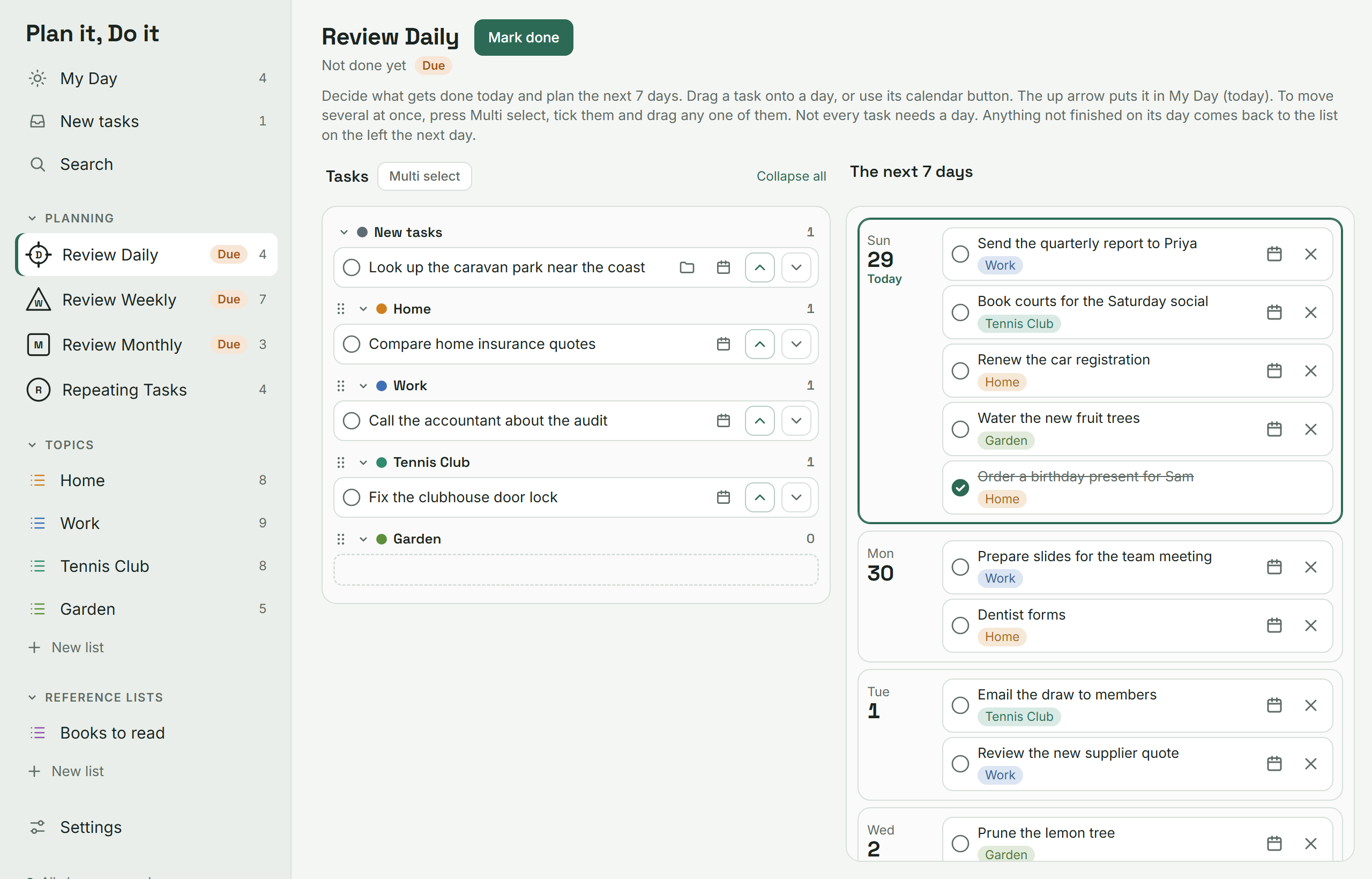
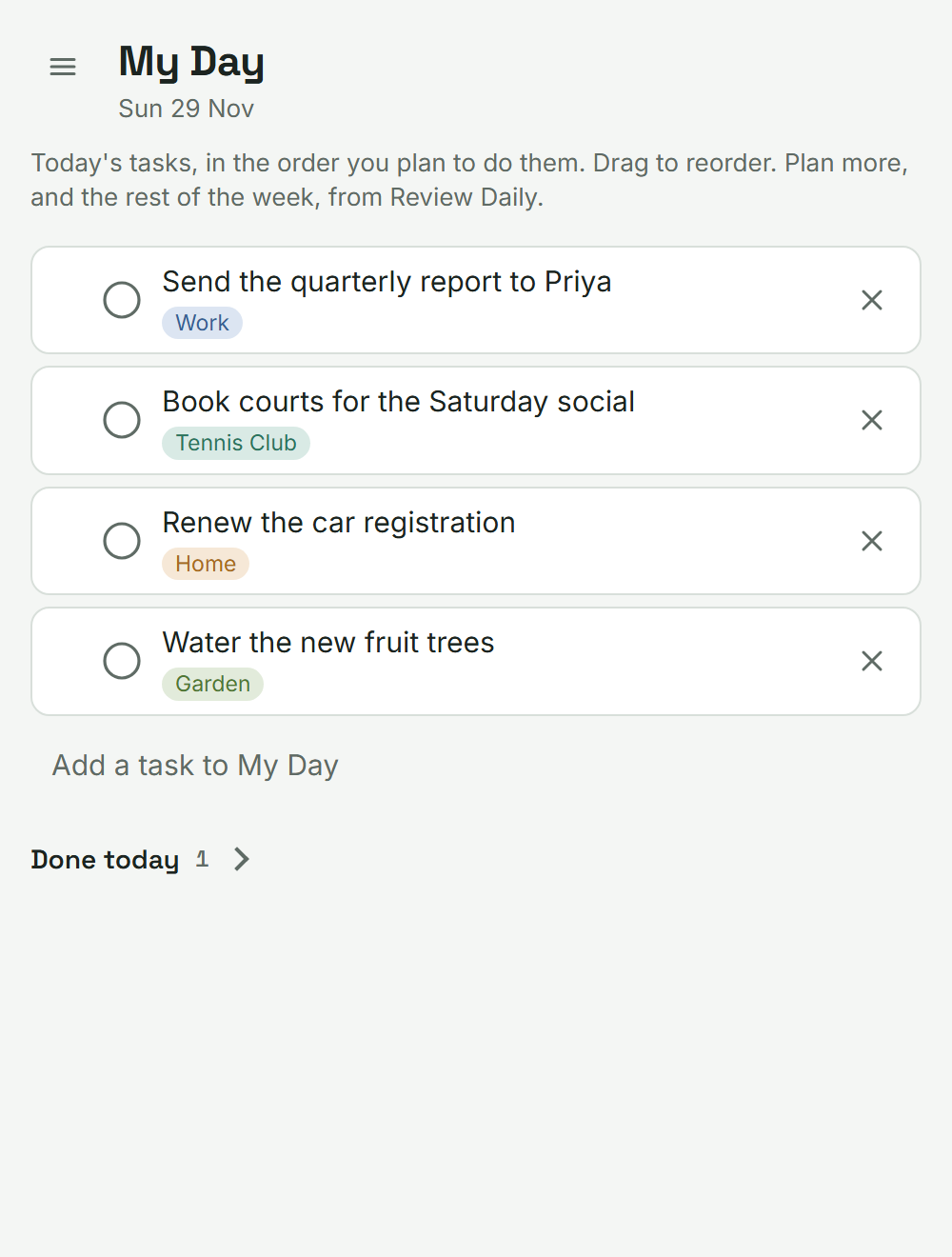
Plan it, Do it sorts your tasks by how often you need to think about them. Review them monthly, weekly and daily, plan your week, then work through today's short list.
Free to try, with no ads. Everything you add can be downloaded as a CSV file. Works in the browser on iPhone, iPad and PC.
A long list asks you to decide everything at once
When the urgent, the someday and the monthly chore sit together, you read past the same lines every morning. Give each task a review level and you only look at it when it's due for a decision.
The pyramid
Every task sits on one level. The nearer the top, the sooner it matters and the more often you look at it. Move a task up when its time comes, and down when it can wait.
Daily
Daily · Every day
What you mean to do now. Put tasks on the next seven days, then work through today's list in My Day. Anything missed comes back to be planned again.
Weekly
Weekly · Once a week
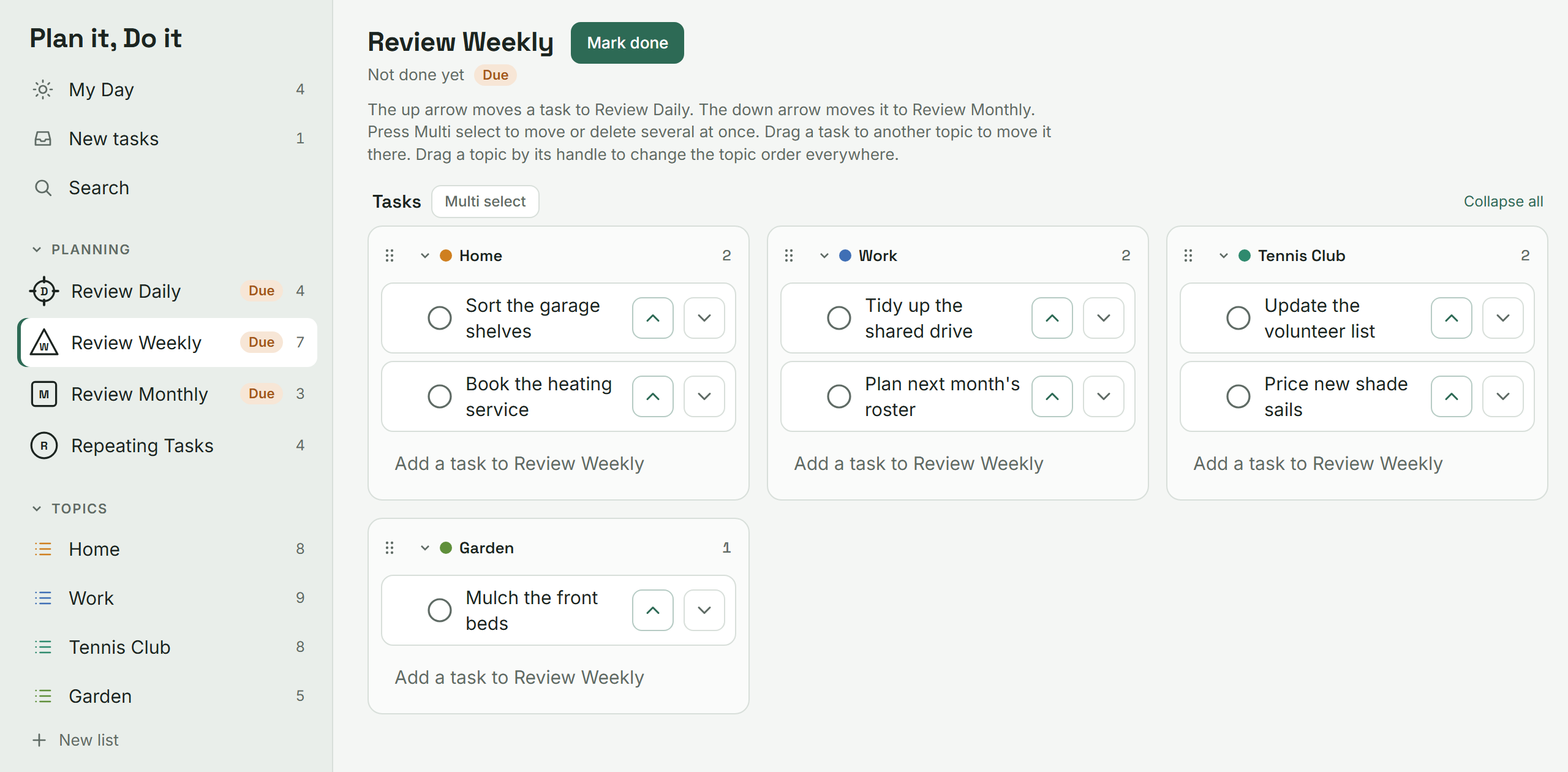
What could happen soon. On your weekly review day, move this week's tasks up to Daily. Send anything that can wait down to Monthly.
Monthly
Monthly · Once a month
What matters, but not yet. Look over the longer term tasks. Move some up to Weekly, leave others, or drop them to Maybe One Day.
Maybe one dayDon't forget
Maybe one day · No set cycle
What you don't want to lose. Ideas and someday jobs rest at the bottom of their topic, out of your way. Bring one up when you're ready.
Review Weekly. The arrows move a task up or down a level.
Also in the box
Topics stay put
A task keeps its topic and colour as it moves between reviews.
Repeating tasks
Set a task to repeat by days, weeks, months or years. It joins My Day when due.
Works offline
Keep working with no signal. Changes sync when you're back online.
On all your devices
Add it to your Home Screen or install it on your PC from the browser.
Your review days
Pick which day your weekly and monthly reviews fall due.
Your data stays yours
Download your lists and tasks as a CSV file for Excel or any spreadsheet, whenever you like.
Why I built it
I ran my days on Microsoft To Do, with a list for each kind of review and my own habits to hold it together. I couldn't plan a task onto a later day or see my week, and moving a task between review lists lost what it was about.
So I built an app around the routine itself. I use it every day.
Matt Allington
Questions
What does it cost?
It is free to try. Each account has a limit of 10,000 items, which is far more than most people need.
Can I get my data out?
Yes. In Settings, choose Download as CSV. You get your lists and tasks, including completed ones, notes and dates, ready to open in Excel or any spreadsheet.
Is it in the App Store?
No. Open it in your browser and add it to your Home Screen, or install it from the browser on your PC.
Can I import from Microsoft To Do?
Not yet.
Can I share a list with someone?
Not yet. Each account is private to one person.
Where is my data kept?
In a database in Sydney, Australia. The privacy page lists the services involved.
Plan today in a few minutes
Free to try. Take your data with you as a CSV file at any time.
 Plan it, Do it
Sign in